

Breadcrumbs: Home > House Sitting Guide > Using AI to Enhance Your House Sitting Profile Pictures
Quick Facts
| Best AI tools for photo enhancement | ChatGPT, Gemini, Grok |
| Time to enhance a photo | Under 2 minutes |
| Cost | Free on ChatGPT, Gemini and Grok |
| What AI can fix | Lighting, exposure, colour, noise, sharpness |
| What AI cannot fix | Poor composition, messy backgrounds, bad expressions |
| Ethical limit | Enhancement only, no feature alteration or adding fake pets |
Your photo earns the click before your bio is read. Upload a good, naturally lit shot to ChatGPT or Gemini, run our enhancement prompt, which fixes lighting, colour and sharpness while preserving your facial features, then run the squint test. Enhance every gallery photo, and never alter your features.
In house sitting, your profile photo is doing a job before a single word of your bio gets read. Homeowners scan sitter listings the same way anyone scrolls through a feed, fast, visual, and instinctive. A dark, grainy, or flat photo gets passed over in under a second. A bright, clear, warm photo earns the pause that leads to a click.
We are not talking about altering your appearance or misrepresenting who you are. We are talking about using AI to ensure that the friendly, capable person you actually are comes through clearly on a small screen, in poor lighting conditions, at a glance.
This guide gives you the exact prompt we use and the principles behind it.
Why Photos Matter More Than Most Sitters Realise
Most people building a house sitting profile put significant effort into writing their bio and almost no effort into their photos. That is the wrong priority order.
The photo loads first. The bio requires a click. Homeowners who do not like what they see in the photo rarely get to the bio.
Think of it like a dating app, but for pet care. The homeowner is looking for someone they would feel comfortable handing their keys to. First impressions form fast and they are hard to reverse. If your photo looks like a poorly lit screenshot from a group holiday, the subconscious reaction is distrust, not because you are untrustworthy, but because the image signals low effort.
This matters even more if you are trying to get house sits without prior experience. Without reviews to vouch for you, your photos are doing extra work. A professional-looking image signals someone who takes the process seriously.
What Makes a Good House Sitting Photo
Before enhancing anything, you need the right raw material. AI can improve a good photo. It cannot rescue a bad one.
The most effective house sitting photos share a few consistent qualities. You should be smiling — genuinely, not posed, and making eye contact with the camera. The background should be tidy and neutral, not a cluttered living room or a busy street. Good natural light makes a significant difference; a photo taken near a window in daylight will always outperform one taken indoors under warm artificial lighting.
Photos with animals are the most powerful category for house sitting profiles specifically. A clear shot of you interacting with a dog, cat, or any animal you have cared for signals animal competence more effectively than anything you can write. The animal should look relaxed around you. An excited or stressed animal in the photo sends the wrong message.
Your main profile photo should be a clear, warm headshot or half-body shot where your face is immediately visible. Supporting gallery photos can show you with animals, in outdoor settings, or in domestic contexts, cooking, gardening, or sitting comfortably in a home environment. Avoid photos where you are clearly on a tourist excursion, holding a cocktail, or in a large group where it is unclear which person is you.
A photo that needed editing before AI was just a good photo taken in bad conditions. If the composition is wrong, messy background, unflattering angle, poor expression, the AI is the polish, not the painter. Start with a photo where those fundamentals are already working.
How to Enhance Your Profile Photo in 4 Steps
Choose your base photo. Select a photo with good composition, a genuine smile, and a tidy background. Natural light near a window is ideal. If you have an animal interaction photo that ticks these boxes, that is your best starting point.
Upload to AI. Open ChatGPT or Gemini and upload your image directly into the chat. Both handle image input at the free tier.
Run the enhancement prompt. Copy and paste the prompt in the next section alongside your uploaded photo. The prompt is engineered to improve quality without altering how you look.
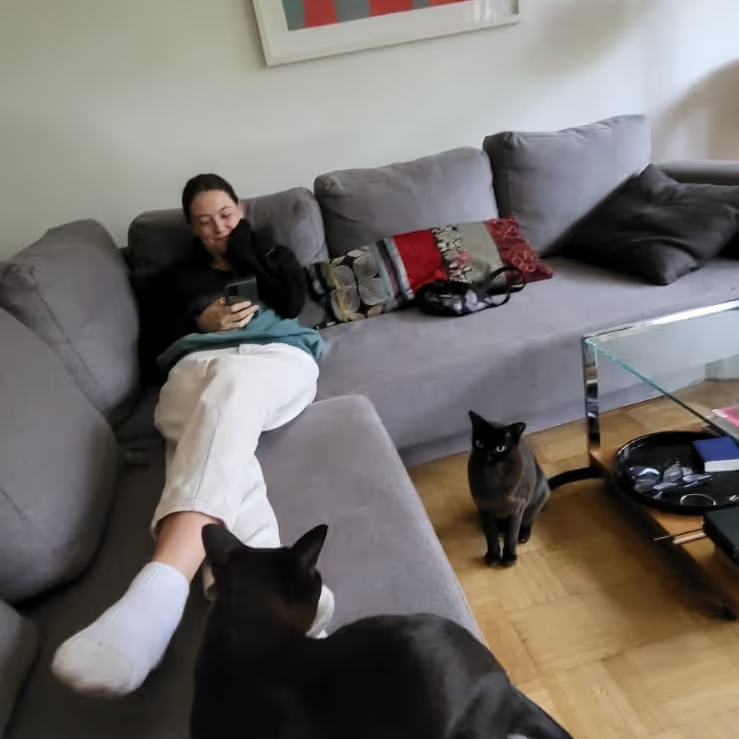
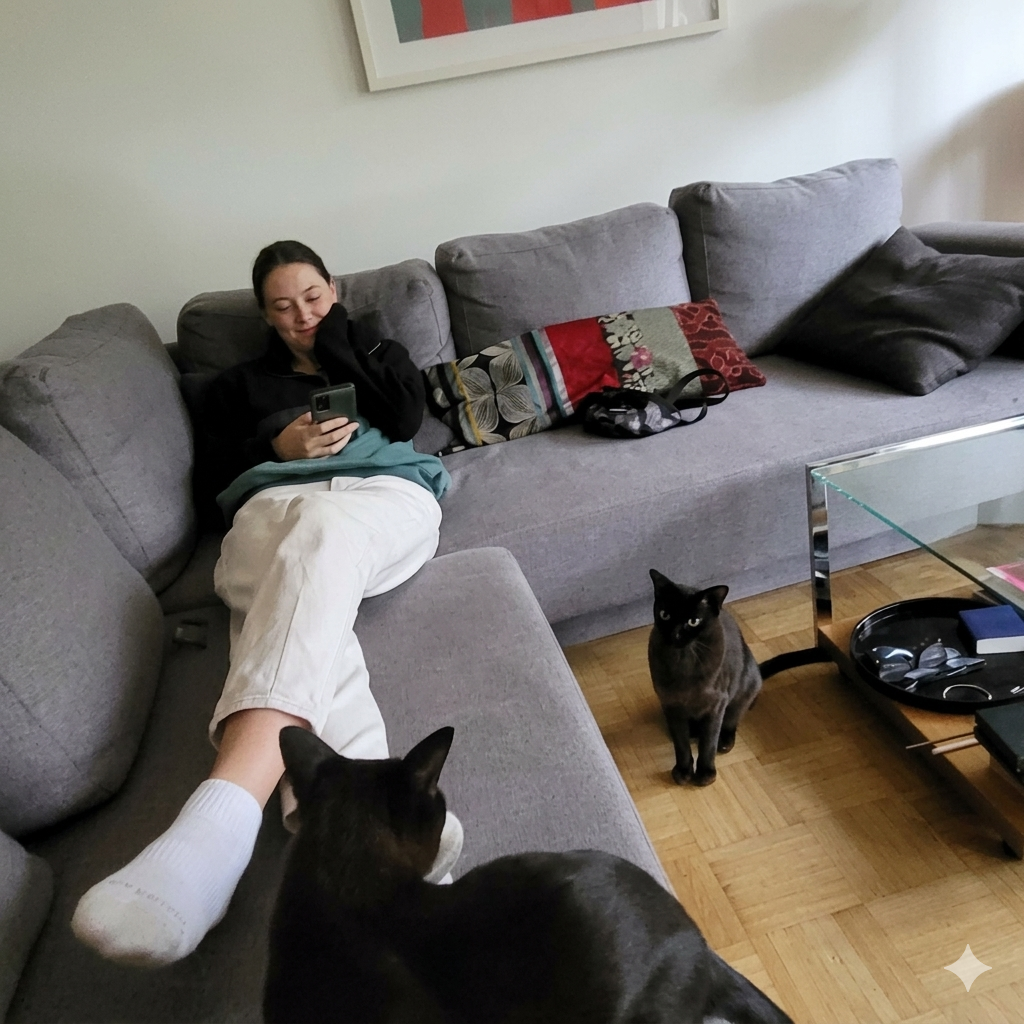
Run the squint test. Put the enhanced version next to the original. Stand back and squint. Cleaner and brighter is good. Different facial proportions means the edit has gone too far, dial it back.
The AI Enhancement Prompt
We use multimodal AI tools, ChatGPT, Gemini, or Grok, to enhance photos by uploading the image directly and running this prompt alongside it. The prompt is engineered to produce professional-looking results without the plastic over-processed look that signals heavy editing to anyone who looks carefully.
Upload your photo to ChatGPT or Gemini and paste this alongside it:
Enhance this photo to look professionally edited while keeping it natural and realistic. Improve overall lighting and exposure, balance highlights and shadows, and slightly increase contrast. Boost colours subtly for richness and clarity without oversaturation. Correct white balance for natural skin tones. Add gentle sharpness and clarity, especially to faces and key details. Reduce noise and minor imperfections while preserving texture. Keep facial features, expressions, and background authentic. Final result should look like a high-quality professional photograph, not overly retouched or artificial.
The specific instruction to preserve facial features and background authenticity is what keeps the output looking like you. Without it, AI tools sometimes smooth skin to an unconvincing degree or subtly alter proportions. This prompt keeps that in check.
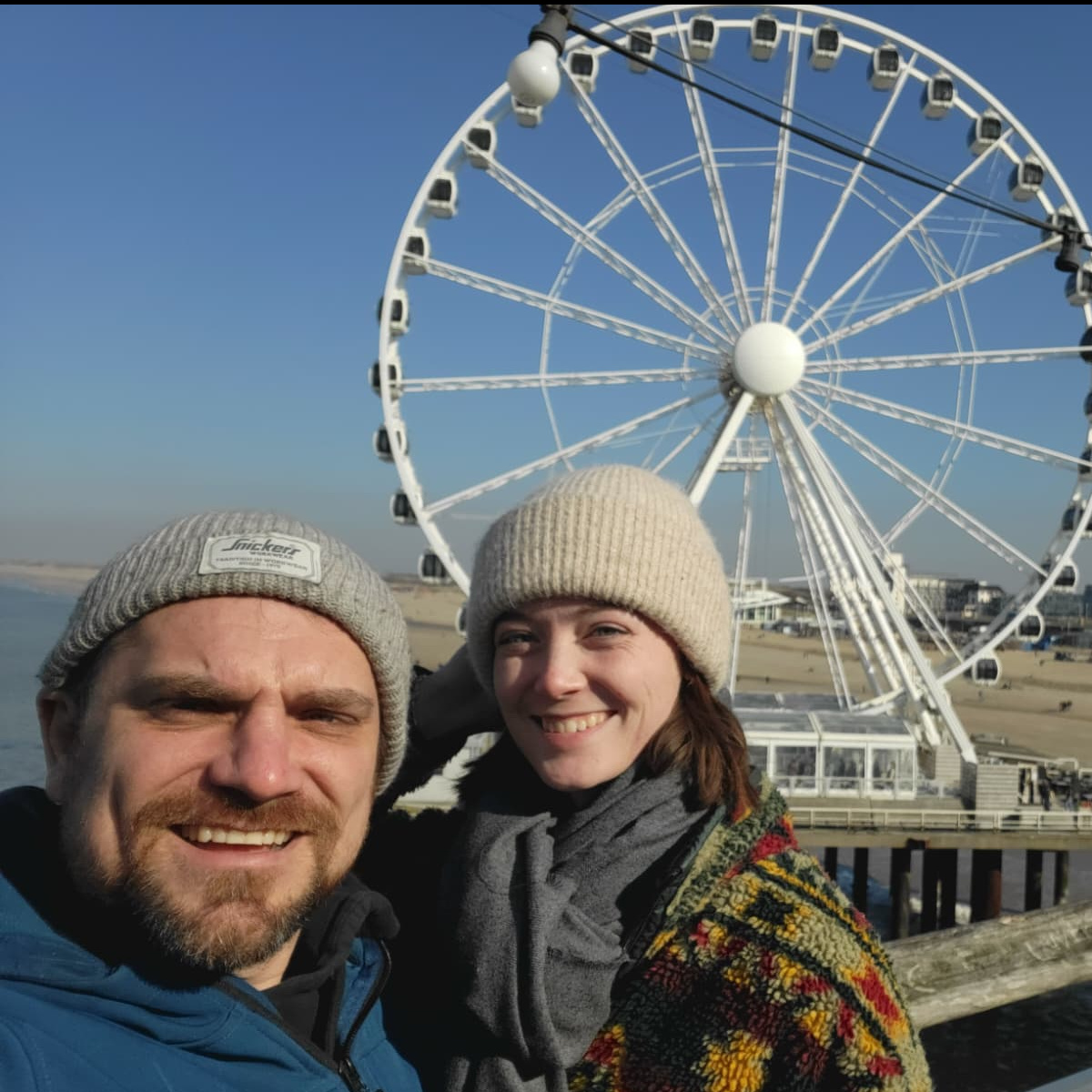
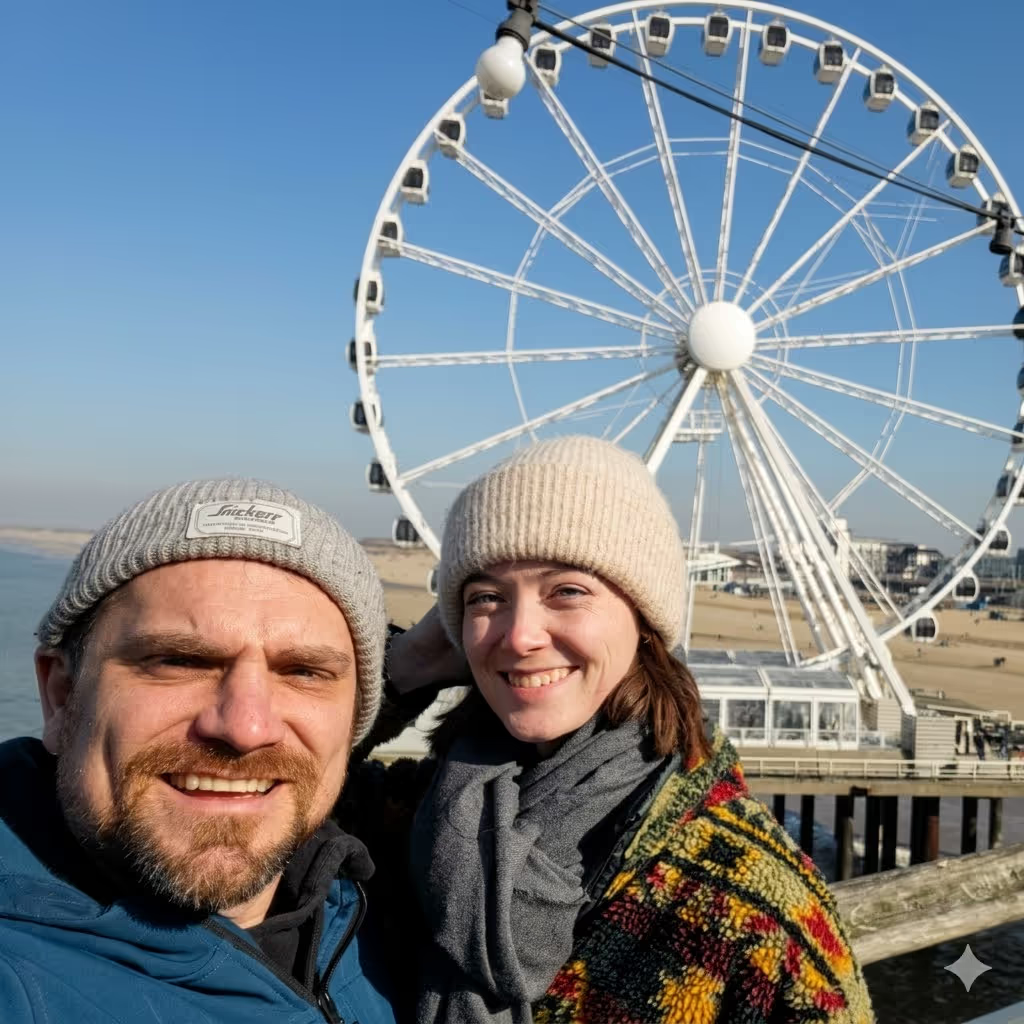
ChatGPT works well for this and is free at the basic tier. Gemini produces similarly good results. Run the same photo through both and compare, the differences are sometimes noticeable and worth seeing before you decide which to upload.
The Squint Test
Before uploading any AI-enhanced photo, run it through a simple check. Put the enhanced version next to the original on your screen. Stand back and squint so that the detail blurs slightly. The enhanced photo should look cleaner, brighter, and warmer but the shapes of your face should be identical to the original.
If the AI has changed the shape of your nose, jawline, or eyes, you have gone too far. Dial the prompt back or try a lighter edit. Homeowners will meet you in person at the video call and then again on arrival day. The goal is to look like the best version of yourself in good lighting, not a different person.
The Ethical Line
There is a clear line between enhancement and deception, and it is worth stating explicitly.
| Feature | AI Enhancement (Good) | AI Deception (Bad) |
|---|---|---|
| Lighting | Brighten dark or shadowed faces | Changing the time of day completely |
| Appearance | Sharpening features for clarity | Removing wrinkles or changing face shape |
| Background | Subtly brightening a tidy room | Adding a luxury kitchen you are not in |
| Pets | Making a dog's fur and detail pop | Adding an animal that was not there |
| Skin | Reducing noise and grain naturally | Smoothing to a plastic, unnatural texture |
A sitter who looks noticeably different from their photos on arrival is a common red flags homeowners identify in a pet sitter. It triggers distrust before you have said a word, and the risk of a negative outcome, or a negative review, is not worth whatever marginal benefit the heavier editing might provide.
Trust is your primary currency in house sitting. Stick to lighting, colour correction, and noise reduction.
Consistency Across Your Gallery
The most common mistake after enhancing a main profile photo is leaving the rest of the gallery untouched. Having one sharp, bright headshot alongside five blurry, dark animal photos creates a disjointed impression that actually draws more attention to the poorer photos than if everything was at the same level.
Run every photo in your gallery through the same prompt. Uniform quality across your profile signals a detail-oriented person, which is exactly the quality homeowners are looking for in someone they are leaving with their home and pets.
This is especially true when you are competing on the major platforms. When we look for sits on TrustedHouseSitters or Nomador, the top-rated sitters almost always have consistent, clean photo galleries rather than a single good shot surrounded by mediocre ones.
Enhancing Animal Photos
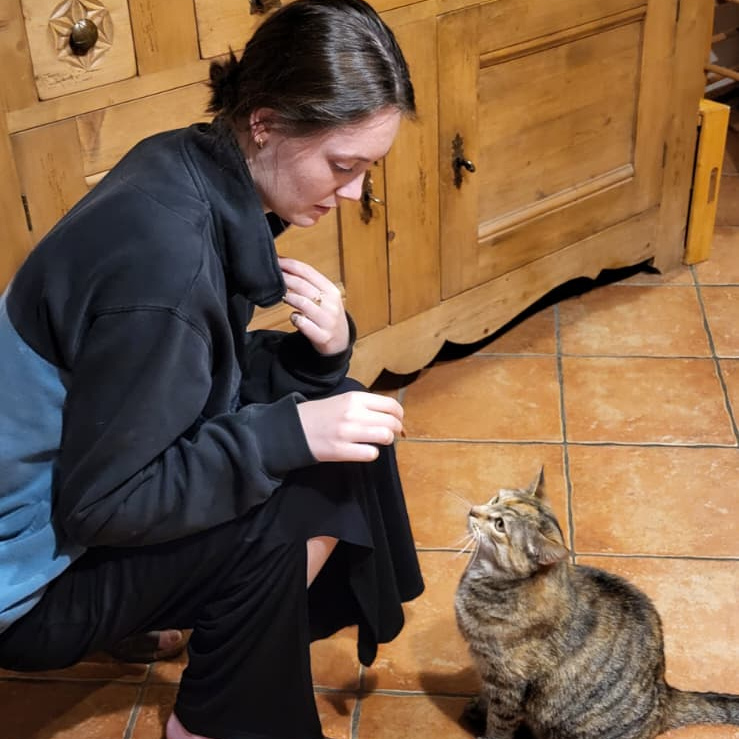
Any photo showing you with an animal deserves the same treatment as your main headshot. A crisp, well-lit shot of you playing with a dog or sitting calmly with a cat does more work on a house sitting profile than almost anything else you can include.
If you are hoping to land a sit looking after a dog, a sharp photo of you clearly comfortable with a dog communicates capability that no amount of written description can match. Run those photos through the same prompt. The animal should look relaxed, the interaction should look natural, and the lighting should make both of you clearly visible.
Applying Enhanced Photos Across Platforms
Once you have a polished set of photos, update them on every platform you use. The same image assets work everywhere and the effort of creating them only happens once.
On TrustedHouseSitters, your main profile photo appears in search results before homeowners click through to your full listing. On Nomador the same applies. A clear, warm photo in the search thumbnail is what earns the click in the first place.
Regional platforms follow the same logic. Whether you are applying through Aussie House Sitters in Australia, Kiwi House Sitters in New Zealand, House Sitters Canada, or MindMyHouse across Europe, your photo is the first thing shown in listings. On paid platforms like Rover where you are competing on service quality, a professional photo sets the tone for the pricing conversation before it begins.
If you are targeting luxury house sits, photo quality matters even more. Homeowners leaving high-value properties are assessing trust at every touchpoint. A well-lit, clearly composed profile photo signals the same attention to detail they hope to see applied to their home.
For a full breakdown of which platforms are worth your time, see our TrustedHouseSitters alternatives guide.
How Enhanced Photos Fit Into the Larger Picture
Photo enhancement is one step in a broader process. The photo earns the click. The profile provides credibility. The application message gets homeowners to look at your profile in the first place. The video call seals the booking.
None of these steps compensate for a weak one elsewhere. A polished photo that leads to a thin profile with no animal detail still loses the sit. But a strong profile hidden behind a dark, grainy photo never gets seen.
Fix the photo first. The rest of the funnel only works if homeowners get to it.
Conclusion
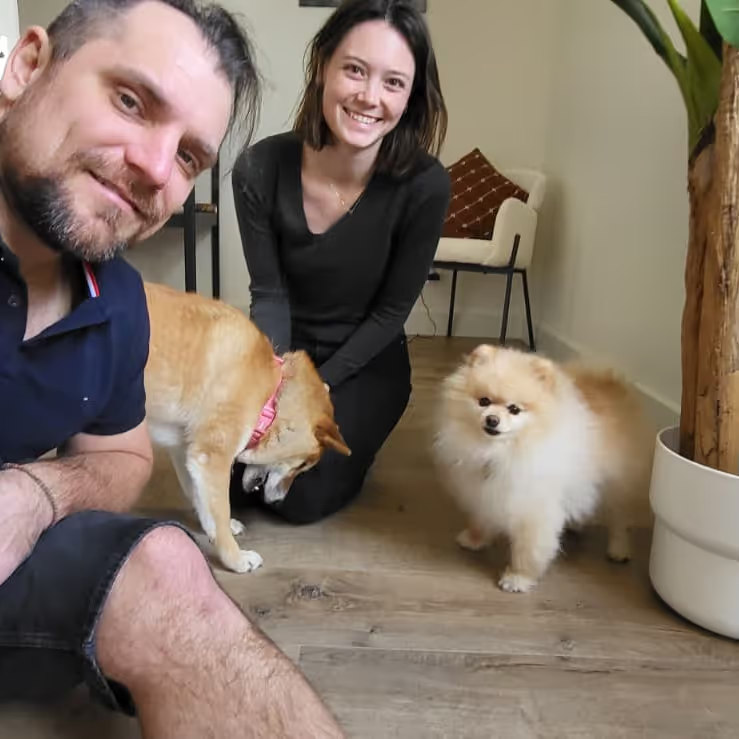
Caro and I treat house sitting as a professional exchange of value. We get to stay in extraordinary homes across Europe and beyond. Homeowners get peace of mind that their animals and property are well looked after. That peace of mind begins the moment they see a face on a screen that looks warm, capable, and trustworthy.
Using AI to enhance your photos is not vanity. It is making sure that the person you actually are comes through clearly on a small screen in a search result thumbnail. The technology is free, the prompt takes seconds to run, and the difference in how a profile reads before and after is usually immediate.
Grab the prompt, open ChatGPT, run your photos through it, and update every platform you use. It is one of the fastest improvements you can make to a house sitting profile and one of the most overlooked.
Konrad and Caro
DM us @housesittersguide if you have questions, we answer everyone.
Frequently Asked Questions
Which AI tool is better for photo enhancement: ChatGPT or Gemini?
In 2026, ChatGPT tends to be more conservative with skin textures, making it the safer choice for portrait shots where you want to avoid the over-smoothed look. Gemini is excellent at balancing natural sunlight in outdoor shots and handles bright, high-contrast scenes particularly well. For an indoor headshot, start with ChatGPT. For an outdoor photo with animals or natural light, try Gemini first. Running both and comparing takes under five minutes and often produces a noticeably better result than committing to one tool.
What can AI actually fix in a photo and what can it not fix?
AI handles lighting, exposure, colour balance, noise reduction, and sharpness well. What it cannot fix is poor composition — a messy background, an unflattering angle, or a closed expression. Start with a photo where those fundamentals are already working. The AI is the polish on a good photo, not a rescue tool for a bad one.
How do you avoid the over-edited, plastic look?
The key is the instruction to preserve facial features and background authenticity, which is built into the prompt above. After generating the enhanced version, run the squint test: put both photos side by side, stand back, and check that the shapes of your face are identical. If the AI has altered your features at all, the edit has gone too far.
Should you enhance pet photos as well as your main profile photo?
Yes — run every photo in your gallery through the same prompt. A single sharp headshot surrounded by blurry animal photos creates a disjointed impression that draws attention to the weaker images. Consistent quality across the full gallery signals attention to detail, which is precisely what homeowners are looking for in a sitter.
Where is the ethical line with AI photo enhancement?
Enhancement stops at improving the technical quality of a real photo — lighting, colour, noise, sharpness. The moment you ask AI to alter your physical features, remove permanent traits, de-age your appearance, or add animals that were not in the original photo, you have moved into misrepresentation. Homeowners meet you in person. The photo needs to look like you.
Does photo quality actually affect response rates?
Yes, and the effect is front-loaded. Your photo appears in search results before homeowners click through to your profile. A clear, warm image earns the click. A dark or low-quality image gets skipped. For sitters without reviews yet, photos are doing the work that a review count would otherwise do — signalling effort, professionalism, and trustworthiness before a single word of the bio is read.


Responses
What are your thoughts on this post?