

Home > Blog > How to Coordinate Multiple House Sits
Quick Facts
| Primary calendar tool | Google Calendar, colour-coded and shared between both of us |
| Navigation | Google Maps for journey planning, Waze for driving |
| Public transport and ferries | Rome2Rio |
| Homeowner communication | WhatsApp group per sit |
| Platform notifications | TrustedHouseSitters app sends reminders before each sit |
| Key principle | Keep the tool count low. Two or three apps covering everything beats ten |
If you only take one thing from this article: share a colour-coded Google Calendar with your travel partner, green for confirmed sits, yellow for pending, red for travel. Create a WhatsApp group per homeowner for all communication. Use Google Maps to plan routes, Waze to drive them, and Rome2Rio for ferries and public transport. Keep the tool count low and use each one consistently.
When you are living in two-week to three-month blocks and moving between countries, coordination does not need to be complicated. It needs to be consistent. After 20 sits across 12 countries, Caro and I use a small stack of tools we have refined down to the ones that actually get used every day.
Google Calendar: Shared, Colour-Coded, and Non-Negotiable
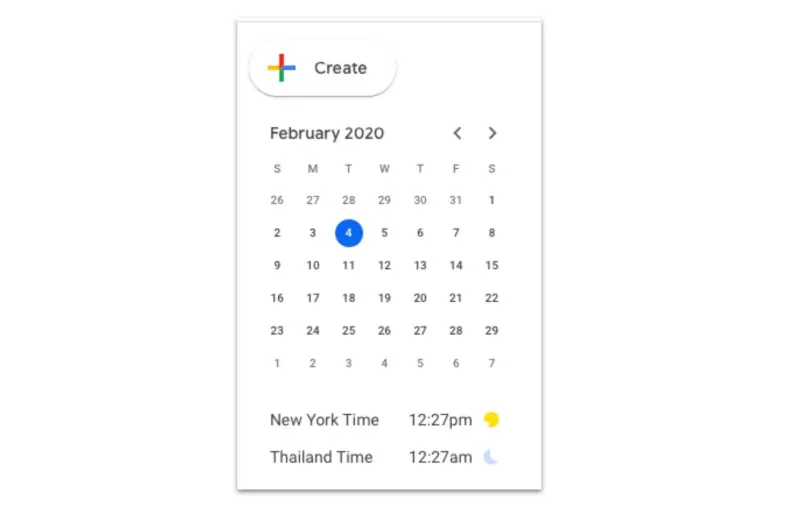
Google Calendar is the foundation. Caro and I share a single calendar so we are always looking at the same information. When a sit is confirmed it goes into the calendar immediately, with the exact handover times, the address, and the homeowner's WhatsApp number in the notes. Our getting started guide covers what to agree before confirmation.
The colour-coding is what makes the calendar work as a planning tool rather than just a list of dates. We use green for confirmed sits, yellow for pending applications we are waiting to hear back on, and red for travel days and transit buffers. At any point we can open the calendar and see the full picture in a few seconds.
The same calendar handles more than just sits. When we have a ferry crossing, a flight, or a significant drive planned, that goes in too with its own colour. Looking at a full month on the calendar, you can immediately see which blocks are sits, which are travel, and where the gaps are. That visual structure is what lets us spot a logistical problem before it becomes a real one: a transit day that is too short, an overlap that looks fine on paper but requires leaving at 5am, a gap with nowhere confirmed to be.
If it is not in the calendar, it does not exist in our planning. That sounds rigid but it has eliminated every near-miss we have had.
WhatsApp: One Group Per Sit, Everything In One Place
WhatsApp handles all communication with homeowners and it does it better than any platform inbox. Our process starts before the sit is confirmed: in our welcome application message we invite the homeowner to a quick video call over WhatsApp. Once that video call is done and both sides are happy to proceed, we ask whether we can create a group chat with everyone involved.
If the homeowner says yes, one of us creates the group and adds the other. We name the group after the pets, the country, and add relevant emojis. Something like "🐱🇨🇭 Cries Switzerland" or "🐶🇬🇷 Athens". This makes every sit immediately identifiable in the WhatsApp chat list without having to open anything. When you are managing multiple sits across different countries, that five-second recognition saves real friction.
Everything during the sit goes through that group: daily photo and video updates, questions about the animals, any changes to the routine, incident reports, and the departure message at the end. The group format means all parties see every message simultaneously. Nobody misses something because it went to one person's inbox. If a homeowner asks a question while one of us is driving, the other can respond.
One practical benefit that has surprised us: we still use some of these groups to stay in contact with homeowners long after the sit ended. The Athens homeowner, the Switzerland chalet family. The group does not have to be a temporary sit-management tool. Some become ongoing connections.
Platform vs WhatsApp: which for what
The platform app handles the contract and the review. WhatsApp handles the relationship during the sit. Both matter and neither replaces the other. Platform messaging keeps the pre-confirmation conversation on record within the platform's terms of service. Once a sit is confirmed, WhatsApp is faster for large file sharing, video, and voice notes. Most homeowners have notifications active and will see a WhatsApp message before they see a platform inbox message. Keep the platform confirmation intact: that is what covers you under the platform's terms and what enables you to collect a review at the end.

Update frequency
Ask the homeowner before they leave: how often would you like updates? The answer varies widely. Some want a morning photo every day. Others say to message only if something comes up. Asking directly removes the guesswork and shows respect for their preference. For longer sits, daily updates in the first week build confidence, then tapering to every few days is usually appropriate once the homeowner has seen enough evidence that things are running well.
The walkthrough video
This is one of the most practical things you can do at the start of every sit, and most sitters never think to do it.
The moment you arrive and before anything is moved or changed, film a slow, well-lit walkthrough of the entire property. This five minutes of footage could matter more than anything else you do during a sit if a dispute ever arises.
Our walkthrough protocol:
Enter: Start at the front door.
Scan: Move slowly through every room, floor to ceiling. Open cupboards if there is anything you want on record. Show furniture, walls, appliances, and any area that could become disputed.
Test: Film yourself checking a tap, the stove, or any appliance you have concerns about, especially anything already showing signs of wear.
Upload: Send to a private WhatsApp group with only yourself as a member, immediately on arrival. Not later that day. The moment you finish filming.
We keep this video in a private group rather than the homeowner group to avoid appearing distrustful. It is a just-in-case record that stays in your pocket unless a problem actually arises.
Why the upload timestamp matters
WhatsApp timestamps every upload with the date and time. That timestamp, applied to an unedited video uploaded immediately on arrival, creates a documentary record of the property's condition when you got there. The raw video file on your phone also contains EXIF data, which are hidden digital markers including GPS coordinates and the exact time of recording. This provides a second layer of proof independent of the platform.
Both the WhatsApp timestamp and the EXIF metadata in the original file are only valid if the video is uploaded immediately and unedited. Do not crop it, convert it, or send it via a third-party app before uploading. Send the original.
We are not lawyers and cannot confirm the precise legal standing of WhatsApp timestamps in every jurisdiction, but as a practical protection in conversations with platform support teams and potentially in more serious situations, a five-minute walkthrough video costs nothing. We do this at every sit regardless of how good the homeowners seem. When money is involved, people can behave in ways you would not expect. The video is not about distrust. It is about documentation, the same way a photograph at a rental car pickup protects both parties before any journey begins.
This is one of those habits that 99% of sitters skip because it feels unnecessary. It only feels unnecessary until you need it.
If you are on TrustedHouseSitters, the platform app sends notifications before each sit starts and you can double-check all the confirmed details directly in the app. Reviews happen on the platform after the sit ends. Switch back to the platform when the sit closes and leave your review promptly, which triggers a notification for the homeowner to do the same.

Google Maps: Journey Planning and Colour-Coded Routes
For planning how to get between sits we use Google Maps. You can drop multiple destinations, see the realistic drive time, and identify whether a connection is actually achievable before you commit to it. A sit that ends in one city and starts in another requires knowing the door-to-door time, not just an approximate distance.
We also use Google Maps for organising places we want to visit during a sit. You can save locations into named folders (a restaurant someone recommended, an attraction near the sit, a petrol station on a long drive) and share those folders between Caro and me. That shared folder system means we both have the same list of places saved and can navigate to any of them directly without searching again. It is a simple feature that makes a real difference when you are in a new city and want to actually use the recommendations you collected before you arrived.
Waze: Driving Navigation
When we are actually on the road, Waze replaces Google Maps for navigation. The difference that matters is real-time information from other drivers: traffic changes, speed cameras, police reported ahead, road closures. In countries we do not know well, particularly when driving through the Balkans or across mountain passes, having that layer of live information makes the drive meaningfully less stressful.
Waze has probably saved us thousands in fines across three years of driving across Europe. Speed cameras we would never have known about, no-drive zones in city centres, police spotted by other drivers and flagged ahead. In countries where traffic enforcement is strict or the rules vary by zone, that real-time information is worth having on every single drive.
Waze and Google Maps work well together: Google Maps for planning the route. Waze for executing it on the day.
Offline Maps and Translation: Preparing for No-Signal Countries
When we travel to a country where mobile data is unreliable or expensive, we download Google Maps for the entire region before we cross the border. An offline map works without any internet connection. Navigation, address search, and route planning all function normally once the map is downloaded over wifi.
We do the same with Google Translate. Downloading the language pack offline means the translation app works without data, which matters when you are at a remote petrol station, a rural vet, or anywhere signage is not in a language either of us reads. In the Balkans especially, having offline translation for Serbian, Albanian, or Macedonian has been practical rather than just convenient.
The habit is simple: the night before crossing into a new country, connect to wifi and download the offline map and translation pack for that country. It costs nothing and removes a source of genuine stress.
Rome2Rio: Ferries and Public Transport
When we are not driving, Rome2Rio is the tool we use to work out how to get from one place to another. Its particular strength is multi-modal journeys: situations where the answer involves a train, a ferry connection, and a bus, and you need the realistic options across all of them in one place.
For ferries specifically, Rome2Rio is excellent. It surfaces routes and booking links that you might not find through a standard search, including smaller regional ferry services and cross-country routes. Our Kefalonia sit, for example, required planning a specific ferry connection that had limited departure times. Rome2Rio made finding the right crossing simple rather than requiring a search across multiple ferry company websites.
If a journey involves only public transport, Rome2Rio is our first tool. If it involves driving, we start with Google Maps.

Exploring a New Location
When we arrive somewhere new and want to know what is worth seeing, we use a combination of tools rather than relying on any single one. ChatGPT or Grok gives a quick overview of what the area is known for and what locals recommend. Google fills in the practical detail: opening times, distances, whether something is worth the drive.
GetYourGuide shows us what attractions actually exist in that specific location, not because we always book tours, but because browsing it gives a clear picture of what is there. If something appears on GetYourGuide, it is real, it is bookable, and it is popular enough to have infrastructure around it. That combination of ChatGPT or Grok for context, Google for detail, and GetYourGuide for a concrete list of what exists in the area means we can go from arriving somewhere new to having a shortlist of things worth seeing in about ten minutes.
We do not always book tours. Plenty of the best things we have seen have been free or just required showing up. But having a quick way to research what is nearby means we actually explore the areas around our sits rather than defaulting to what is closest or most obvious. For more on how the day-to-day of a sit feels, see what house sitters actually do.
Keep the Stack Small
The most important principle in all of this is to minimise the number of applications. Every additional tool is something else to check, something else to update, something else to forget. The system we have works because it is simple enough to maintain consistently.
Google Calendar covers scheduling and visual planning. WhatsApp covers all homeowner communication. Google Maps and Waze cover navigation. Rome2Rio covers ferries and public transport. The TrustedHouseSitters app handles platform notifications. That is five tools doing everything we need across two people coordinating sits across a dozen countries.
If you are starting out and trying to build a coordination system, resist the temptation to add complexity. A shared Google Calendar and a WhatsApp group per homeowner will handle the vast majority of what you need. Add tools only when you identify a specific problem they solve.
Find the System That Works for You
Every sitter ends up with a slightly different setup based on how they travel and how their brain works. The tools above are what we use and why we use them, but the specific apps matter less than having a consistent approach.
If you need constant reminders and structure, a calendar app and a task manager like Todoist will carry you. If you travel light and your communication with homeowners is the main thing to coordinate, a shared Google Calendar and a WhatsApp group per sit is all you realistically need. The goal is not to have the most comprehensive system. It is to have one you will actually use every time without thinking about it.
Conclusion
The system does not need to be sophisticated. It needs to be consistent.
A shared Google Calendar and a WhatsApp group per homeowner will handle the vast majority of what you need. Everything else is a supplement to those two tools, not a replacement for them. If you find yourself forgetting things or missing reminders, add Todoist for recurring tasks. If you are regularly driving in unfamiliar countries, add Waze. If your travel involves ferries and multi-modal connections, add Rome2Rio. Build the stack around the problems you actually have, not the ones you might have.
The sits handle themselves once you are there. The tools handle the logistics of getting from one to the next cleanly.
Caro and I have completed 20 house sits across 12 countries, driven 19,000km in Australia and 24,000km in our 1998 VW T4, and saved over $26,500 in accommodation costs over three years of house sitting.

Frequently Asked Questions
How do you share a Google Calendar between two sitters?
In Google Calendar, open settings for the calendar you want to share, find the sharing and permissions section, and add the other person's Google account. Set their access to "make changes and manage sharing" so both of you can add and edit events. From that point forward, any event either of you adds is immediately visible to both. This is the single most useful thing you can do if you are coordinating sits as a couple.
How far in advance should I plan travel between sits?
As soon as a sit is confirmed, check the transit to your next confirmed sit. Do not wait until a week before. Use Google Maps or Rome2Rio to confirm the journey is realistic, then add the travel day to your calendar in red so the gap is visible. For ferry crossings specifically, check availability as soon as you know the dates. Popular routes book up.
Do TrustedHouseSitters notifications tell you everything you need?
They cover the essentials: confirmation, sit reminders, and messages. The full detail of what has been agreed lives in your WhatsApp group with the homeowner. The platform app is useful for checking confirmed dates and catching new listings quickly. The WhatsApp group is where the practical details of each specific sit actually live.
What do you do if house wifi is unreliable?
Have a backup internet source before you need it. A prepaid local SIM or a travel eSIM means your phone stays connected to your calendar, your WhatsApp groups, and your navigation apps regardless of the property's wifi. In rural or remote sits, connectivity can be poor. Discovering that on arrival is too late.
Is Rome2Rio better than Google Maps for ferries?
Yes, for planning purposes. Rome2Rio aggregates ferry routes and booking links in a way that Google Maps does not. If your journey involves any ferry crossing, check Rome2Rio first. For driving navigation, Google Maps and Waze are better tools.


Responses
What are your thoughts on this post?