

Home > Blog > Time Zone Differences When House Sitting
Quick Facts
| Most practical tool | World clock widget. already on your phone, no app needed |
| Async vs synchronous | Most digital nomad work is asynchronous. time zones rarely matter |
| When they do matter | Live calls, tutoring, online teaching, real-time client work |
| Caro's solution | Tutored German students from Greece. adjusted her schedule to German time |
| Family coordination | World clock showing home time zones at a glance is enough |
| Daylight saving | Adds complexity. double-check before any scheduled call |
| The real advantage | House sitting in Europe puts you in the same time zone as much of your audience |
Time zones matter only for live obligations like calls, tutoring or real-time client work; most digital nomad output is asynchronous. Caro taught German students from Greece by checking the one-hour offset and setting an alarm. Your phone's built-in world clock is enough. Recheck offsets during daylight saving transitions.
Caro was teaching German online from our sit in Greece. Her students were in Germany. Greece and Germany sit in different time zones: one hour apart, and the gap shifts with daylight saving. She did not explain this to the students, she did not ask them to adjust their schedules, and she did not make it complicated. She looked at the world clock on her phone, confirmed what time it was in Germany, and set her alarm accordingly. Problem solved.
If you are interested in getting into house sitting, our book Travel More for Less puts the whole process in one place: clear, step by step guidance from your first questions to your first confirmed sit, and the reviews that open the door to the next one.
Get started with our 25% THS discount.
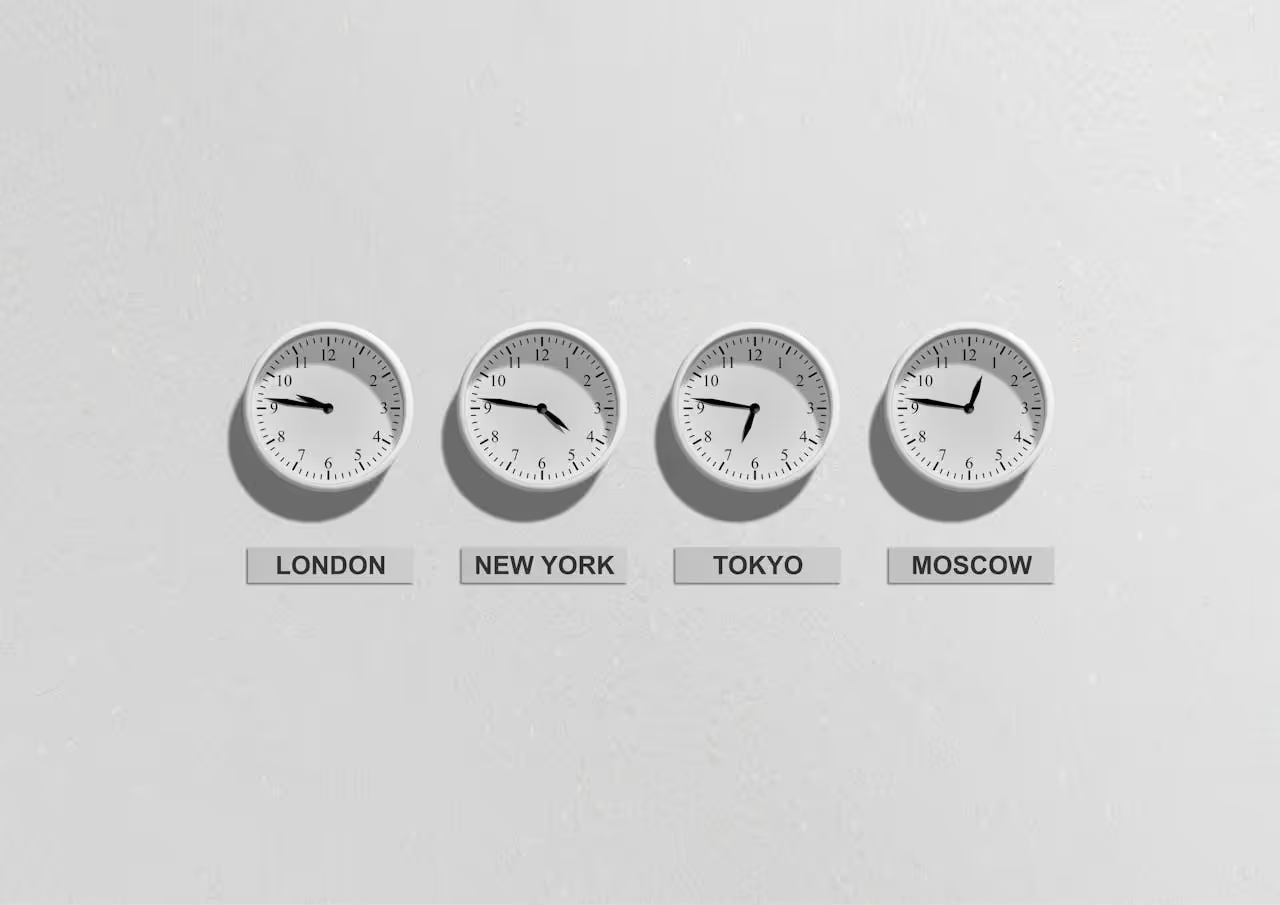
The Honest Picture: Most Work Is Already Asynchronous
For the majority of digital nomads and remote workers, time zones are not a meaningful daily obstacle. If your work is content-based (articles, graphics, video, social media, design, development. you are producing output that does not require anyone to be online at the same time as you. You publish when you finish. They read it when they open it. The time zone is irrelevant.
The remote working lifestyle that house sitting enables is built on this reality. Caro and I run housesittersguide.com from wherever we happen to be sitting. An article written in Manosque, France publishes at the same time as one written in Kefalonia or Sydney. The work does not care what time it is.
There has never been a better time to work this way. Every tool a digital nomad needs (writing software, design tools, AI assistants, project management, communication) is available through a browser regardless of country, time zone, or internet provider. The world being fully digital means the only constraint is a working internet connection. Our WiFi testing guide covers how to confirm that before you arrive at any sit.
The time zone question becomes real only in two situations: when you have live, synchronous obligations (calls, tutoring, real-time client work) and when you need to stay connected with family across multiple time zones.
When Time Zones Do Matter: Live Obligations
Caro's online German tutoring is the clearest example from our own experience. The students were in Germany. We were in Greece. Caro's teaching schedule had to reflect German time, not Greek time, because the students were working around their own school schedules and family routines.
The solution was not complicated. Germany runs on CET (UTC+1 in winter, UTC+2 in summer). Greece runs on EET (UTC+2 in winter, UTC+3 in summer). The offset between them is one hour, and it stays at one hour even when daylight saving shifts. Both countries observe daylight saving, just occasionally on different weekends. Caro confirmed the time difference before each teaching block and set her schedule accordingly. No explanation to the students required. No disruption to the arrangement.
The principle applies to any live obligation: find out what time it is where your client or contact is, work back to your local time, and set your schedule. That is the entire process.
The only moment when daylight saving truly creates confusion is the weeks around the transition, when one country has shifted and the other has not yet. The US and Europe do not transition on the same date, and Australia's southern states transition in October rather than March. During those transition windows, always check the current offset rather than assuming it is the same as the week before.
Family Across Multiple Time Zones
Right now our family is spread across: Germany (Caro's family), Cyprus (my father and stepmother), Melbourne and New South Wales (my mother, stepfather, and sisters), Poland (another sister), and we are about to add Portugal to the rotation with our upcoming six-month sit.
That is four or five active time zones depending on the week and on daylight saving movements. Staying connected with all of them while moving continuously through different sits requires exactly one tool: a world clock.
Both iOS and Android include a world clock as a standard feature. Add the cities that matter. Check it before any call. The widget version, a home screen display showing multiple city times simultaneously, removes even the step of opening an app. You glance at your phone and know immediately what time it is in Melbourne relative to wherever you are sitting.
This is truly the full toolkit. No paid app is necessary. Calendly and similar scheduling tools add automatic time zone detection for anyone booking meetings with you, which is useful if you are managing external client appointments. But for family coordination and a small number of regular contacts, the world clock built into your phone is all you need.
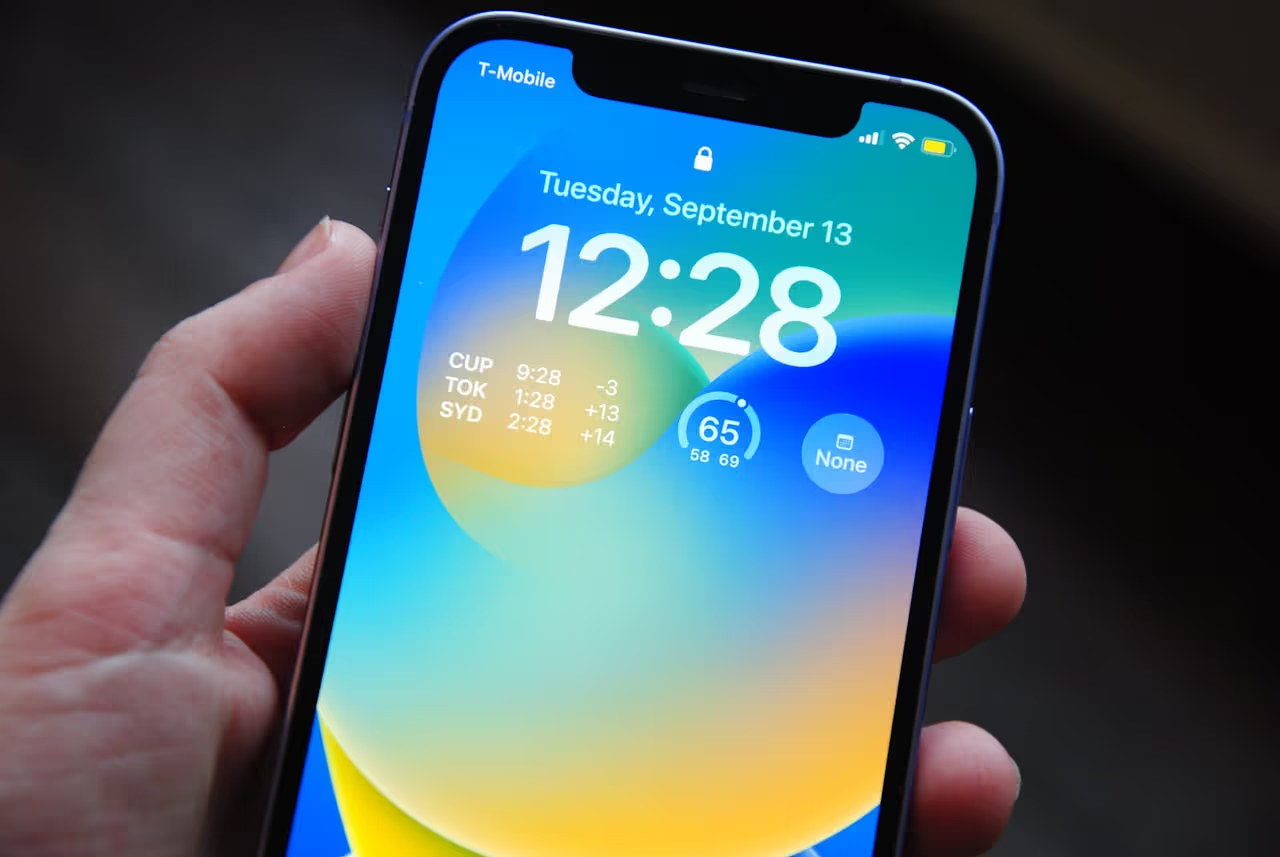
Setting Up the World Clock
Add the cities you actually need, not all of them. A world clock showing fifteen cities is less useful than one showing four. Start with: your home country (for family), your main client or work contact location if relevant, and any sit location you are in or moving toward.
If you make scheduled calls regularly (weekly family video calls, client check-ins, teaching sessions) set a recurring alarm for the correct local time. Alarm titles are searchable on most phones. "Mum call: 8pm Melbourne" set as a recurring Sunday alarm takes thirty seconds to create and removes the weekly mental arithmetic entirely.
Daylight saving reminder: in the weeks around October (Southern Hemisphere) and March/November (Northern Hemisphere), do a one-off check of the current offsets for your key contacts before any important call. A one-hour mistake in either direction is a common point of friction for nomads who have been in the same time zone for several weeks and stop actively checking.
The House Sitting Time Zone Advantage
Sitting in Europe puts you in one of the most centrally useful time zones for global work. From Central European Time you are within three to four hours of the UK, within one hour of most of Western and Central Europe, within six to seven hours of East Coast US, and within eight to ten hours of the Australian East Coast. That spread means that with some early mornings or late evenings, you can maintain contact with virtually anyone.
House sitting in the US or Australia shifts the balance differently. US Eastern Time overlaps comfortably with European morning hours and US Pacific Time, while Australian Eastern Standard Time overlaps with much of Southeast Asia and Japan.
We have never chosen or avoided a sit location because of time zone implications for work. Our work is sufficiently asynchronous that it has not mattered. If your work involves regular live calls with clients in a specific region, it is worth thinking about the overlap window before confirming a long sit. A six-month sit in Portugal, for example, puts you one hour behind most of mainland Europe and six hours ahead of Eastern US, a comfortable position for either European or US-facing work.
Asynchronous Work and the Freedom It Creates
The digital nomad lifestyle has never been easier than it is now. Every piece of software we use as remote workers (writing, design, scheduling, communication, analytics) is browser-based, platform-agnostic, and available wherever there is internet. The output of our work (articles, graphics, social media content) is consumed asynchronously by definition.
This is the deeper reason why time zone management for house sitters is simpler than it sounds. The constraint people worry about ("what if I am twelve hours ahead of my clients?") mostly does not apply unless you are in synchronous work. A graphic designer who delivers files, a copywriter who submits drafts, a developer who pushes code: none of these roles require real-time presence. The work is done when it is done and received when it is opened.
The house sitting lifestyle accelerates this naturally. You are moving through different time zones across sits: from France to Greece to Switzerland to Portugal over the course of a year. You adapt your alarm for the live obligations that matter and leave everything else to work on its own schedule. The logistics are already built into your phone.
Our packing guide covers the minimal kit that makes this lifestyle portable. Our home office guide covers how to set up a productive workspace within an hour of arriving at any new sit.
The Van-to-Sit Transition
For anyone combining campervanning with house sitting as we do, the time zone question has one additional wrinkle: you are moving through zones not just between sits but sometimes between overnight stops.
Driving from western France to the south of France puts you in the same zone. Driving from western France to Greece crosses one zone. For van life, the practical approach is the same as for sits. The world clock adjusts automatically when the phone updates its location. The only manual step is remembering to check the alarm times for any recurring obligations after a long drive day.
The combination of van travel and house sitting gives you more flexibility with time zones than any fixed-location nomad arrangement. You can position yourself closer to or further from specific time zones by choosing where you sit and where you stop along the way. If you have regular calls with US East Coast clients, sitting in Portugal (UTC+1) rather than eastern Europe (UTC+2/3) saves you an extra hour of early morning overlap.
Conclusion
Time zone management for house-sitting digital nomads requires two things: a world clock showing the cities that matter and an alarm for any live obligations that are time-specific. Everything else is asynchronous and requires no coordination.
Caro taught German students from Greece without once mentioning the time zone. I stay in touch with family across four countries without a scheduling tool beyond my phone's built-in world clock. Across 20 sits and 12 countries, this has created no meaningful work or communication problem.
The freedom that house sitting offers remote workers is real, and time zones are not the obstacle they might appear to be. Set the world clock. Set the alarms. Check the offset during daylight saving transitions. Everything else takes care of itself.
Join TrustedHouseSitters with 25% off using our discount link and read our remote workers guide for the full picture of how to make this lifestyle work.
DM us @housesittersguide on Instagram with questions about remote work or specific time zone situations. We answer everyone.

Frequently Asked Questions
Do time zones cause problems when house sitting internationally?
Only for synchronous work: live calls, tutoring, real-time client obligations. If your work is asynchronous (content, development, design, writing) time zones rarely create meaningful friction. Check the current offset for any live obligations, set your alarm accordingly, and leave the rest on its own schedule.
What is the best tool for managing time zones as a house sitter?
The world clock built into your phone. Add the cities that matter (home country, key clients or family contacts, current sit location) and display them as a widget on your home screen. No paid app is necessary. For anyone managing external bookings, Calendly adds automatic time zone detection. Those two tools cover every scenario.
How did you manage time zones when Caro was teaching online from Greece?
She looked at the world clock, confirmed the one-hour offset between Greece and Germany, and adjusted her schedule. No explanation to students was needed. The only complication is the period around daylight saving transitions when the offset can shift temporarily. Always verify the current offset during those weeks rather than assuming it is unchanged.
Is house sitting in Europe a good base for digital nomad work?
Yes. Central European Time is one of the most centrally useful time zones for global remote work. From CET you are within three to four hours of the UK, within one to two hours of most of Western Europe, within six to seven hours of US East Coast, and within eight to ten hours of Australia East Coast. Most asynchronous work has no time zone requirement at all. See our remote workers guide for the financial case for this lifestyle.


Responses
What are your thoughts on this post?