

Home > Blog > Home Office Setups for House Sitters
Quick Facts
| Our full work kit | Laptop, mouse, headphones, GaN charger, 1 univeral adapter. That is it. |
| Best spot in a sit | Kitchen table, living room table, or couch. wherever has power nearby |
| Home offices at sits | Around half of our sits have a dedicated home office the owner offers to use |
| Do we use home offices? | Rarely. a table in the living room works just as well |
| GaN charger advantage | One block charges all USB-C devices simultaneously |
| Screen casting | Chrome or Brave built-in casting to smart TVs. no cables needed |
| The productivity secret | New environments keep you sharp; pets keep you from overworking |
| Our record | 18 sits across 11 countries, all worked remotely |
Our kit is two laptops, two mice, two pairs of headphones, one GaN charger and a universal adapter, with no monitor, keyboard or stand. Half of sits include a home office, yet we almost never use it: the kitchen table works. Pets force the breaks that keep you sharp.
If you are interested in getting into house sitting, our book Travel More for Less puts the whole process in one place: clear, step by step guidance from your first questions to your first confirmed sit, and the reviews that open the door to the next one.
This article covers the exact kit we travel with, how we set up in a new home within an hour of arriving, what happens when a sit comes with a dedicated home office, and why the house sitting lifestyle is one of the most productive working environments available for a remote worker. Use our 25% THS discount when joining.
The Full Kit: Less Than You Think
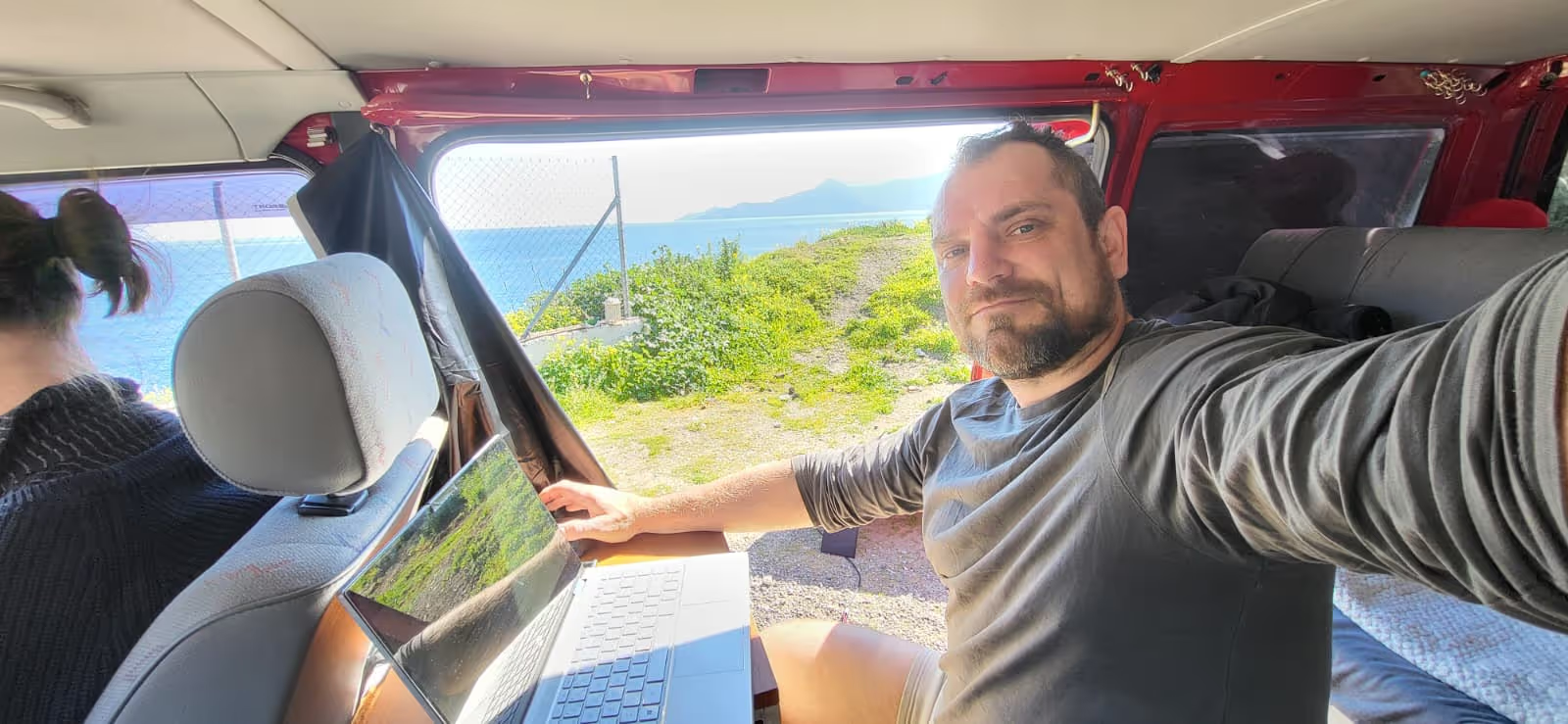
Two laptops, two mice, two pairs of headphones, one GaN charger and a universal adapter. That is the complete working setup Caro and I travel with across every sit.
There is no portable monitor. No mechanical keyboard. No laptop stand. No ring light. No second screen. What there is: two good laptops, peripherals that weigh almost nothing, and one GaN (gallium nitride) charger block that handles every USB-C device we own simultaneously from a single outlet.
The GaN charger is the one item we would push anyone to invest in. Every device we own charges via USB-C: both laptops, both phones, the spare phone we use as a dedicated hotspot. One GaN block with three cables connects all of them at once. This matters in a new home where you are learning which outlets are near which workspaces, and it matters enormously when you stop at a McDonald's or café for a coffee and a quick top-up. One plug, everything charging, nothing visible if you keep the cables in an opaque bag. All devices and cables pre-connected inside a bag you just pull the single charger from. is one of the most practical things we have figured out for both campervanning and house sitting.
I have upgraded to a newer laptop this year. The older one had developed screen cracks from life in the van. The difference in day-to-day productivity was immediate. A good laptop is the highest-impact gear upgrade available. Everything else is secondary.
Where We Actually Work
About half the sits we have done have included a home office: a dedicated room with a desk, a monitor, sometimes a comfortable chair. The owners almost always offer it. We almost never use it.
The kitchen table is usually perfect. The living room table works. The couch, if there is a power outlet nearby and the laptop does not overheat. The home office tends to be a separate room, which means leaving the pets, the natural light from the kitchen window, and the better ambient conditions of wherever the house feels most alive during the day. We would rather sit where the home feels inhabited.
There is a productivity argument beyond preference. Every new sit is a new environment, and a new environment is one of the most reliable ways to break the stagnation that affects anyone working from the same desk for months. The novelty of a different home, a different view from the window, a different morning light: these things keep the mind sharper than any ergonomic upgrade. We are more productive on sits than we were in our rented apartment precisely because the surroundings keep changing.
Caro and I rarely work at the same table. We each find a comfortable spot that suits our current task: she might be on the couch while I am at the kitchen table, or vice versa. We have never had a sit where we could not both find a usable workspace simultaneously. Even a small flat has two distinct spots where a laptop and a charging cable fit.
Screen Casting: The Smart TV Advantage
About half the homes we stay in have smart TVs. Both Chrome and Brave browsers have screen casting built in. Open the browser, click the cast button, and within thirty seconds your laptop content is on the big screen with no cables involved.
We use this for YouTube, for reviewing drafted articles on a larger display, and occasionally for watching movies.. It costs nothing, requires no additional kit, and works reliably on any smart TV with Chromecast support. If you are working on anything visual (design, video editing, reviewing photographs) casting to a 55-inch screen is dramatically better than a 15-inch laptop display and you are already in the room with it.

Pets, Breaks, and the Productivity Loop
The most counterintuitive productivity advantage of house sitting is that the animals force you to stop working.
When a cat climbs onto the keyboard or a dog brings a toy and stands there staring until you throw it, you stop. You step away from whatever you were doing. You reset. And when you return to the work, you are almost always faster and sharper than you were before the interruption.
This is not an accident. The pet care routine that starts every morning (feeding, walking, play) is the kind of physical movement and non-screen time that improves sustained focus throughout the rest of the day. A house sit where you wake up, walk the dog for forty minutes, feed the cats, and then open the laptop is a fundamentally different working day from one that starts with rolling out of bed and straight into email.
The routine also creates natural break points throughout the day. A sit's pet schedule structures time in a way that an unscheduled work-from-home day often does not. You know when the midday walk is. You know when feeding is. These rhythms organise the day without any effort on your part.
If you are looking after multiple pets or a particularly interactive animal, you can plan the most demanding work for the windows when they are reliably settled: typically after a walk and a meal. Our day trip guide covers how to structure your time around pet schedules for both work and outings.
Setting Up in a New Home
The setup process in any new sit takes less than an hour. Find the best natural light. Identify the closest power outlet. Put the laptop down. Connect the GaN charger. Open the browser.
We never need to know where the home office is before we arrive. We find our own spots within the first morning. The only thing worth checking before arrival is the WiFi speed. Our WiFi testing guide covers exactly how to do that through the video call and when a formal speed test is worth requesting.
What the Sit Itself Provides
A house sit provides a kitchen, a living room, a dining table, natural light, and usually a coffee machine. For remote work those are the only facilities that matter. The home office, the second monitor, the desk chair: optional convenience.
What it also provides, and what no coworking space provides, is a reason to stop working when you should. A dog that needs its afternoon walk does not care about your deadline. A cat that has decided it is lap time has made a decision you are not really being consulted on. And both of those interruptions are net positive for the quality of the work that follows.
This is the working lifestyle that house sitting for remote workers makes possible. Not a perfect ergonomic setup. Not a silent open-plan office. A comfortable home in a different country every month, a pet that occasionally derails your typing, and a GaN charger doing the work of four separate power bricks.
Join TrustedHouseSitters with 25% off using our discount link and read our packing guide before your first sit. The work kit fits in a side pocket.
DM us @housesittersguide with questions about the remote work setup. We answer everyone.

Frequently Asked Questions
What equipment do I need to work remotely from a house sit?
A laptop, mouse, headphones, and a GaN charger is everything. A GaN charger powers all USB-C devices from one block simultaneously, which simplifies setup in any new home and is the single most practical addition to a remote work kit for house sitters. Our packing guide covers the full kit.
Do house sits come with home offices?
Around half do, and owners almost always offer them for the sitter to use. In practice, a kitchen table or living room table works just as well for most remote work. The dedicated office is there if you need it, but it is not necessary to have one to work productively from a sit.
How do house sitters manage pets and work at the same time?
By treating the pet routine as the structure of the working day rather than an interruption to it. Morning walk and feed before screens. Focused work during the animals' settled period. Midday walk as the lunch break and reset. Evening routine. The pet schedule organises the day better than most remote workers manage without it. Our day trip guide covers managing time away from the sit on less demanding work days.
What is a GaN charger and why do house sitters need one?
A GaN charger is a compact charger that can simultaneously power multiple USB-C devices from one outlet using gallium nitride technology. For a house sitter with a laptop, phone, and backup device, one GaN block replaces three or four separate chargers, takes up almost no bag space, and means you only ever need to find one outlet in a new home. It is the highest-impact and lowest-cost gear upgrade for anyone working from multiple locations.




Responses
What are your thoughts on this post?